Fanatics Markets User Experience
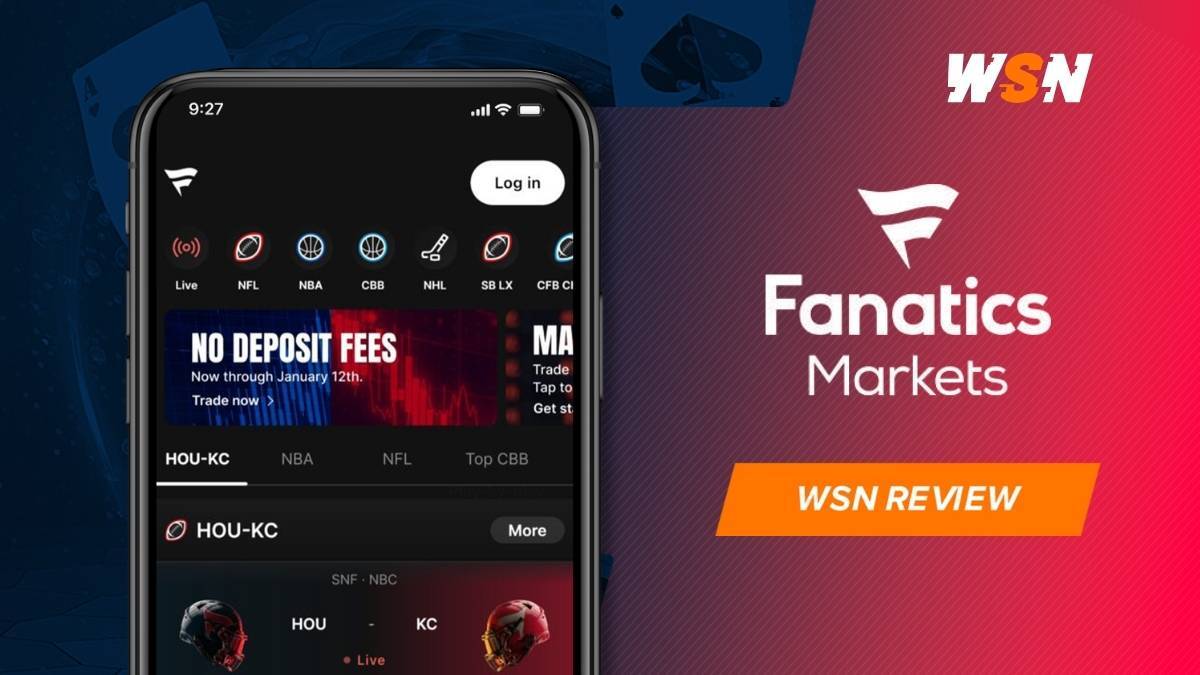
Fanatics Markets is available in 2 ways: through the mobile app on iOS and Android, and through a browser-based desktop platform at fanaticsmarkets.com.
Desktop and Web
At the bottom right of the homepage, a display toggle lets you choose how prices appear across the platform. Prediction mode shows probabilities, Sports mode converts them into American-style prices, and Trader mode displays them in cents.
The major categories are displayed horizontally across the top of the screen. Click into any of them, and the subcategories load down the left side, so a sport opens its leagues, and a non-sports category opens its individual market groups.
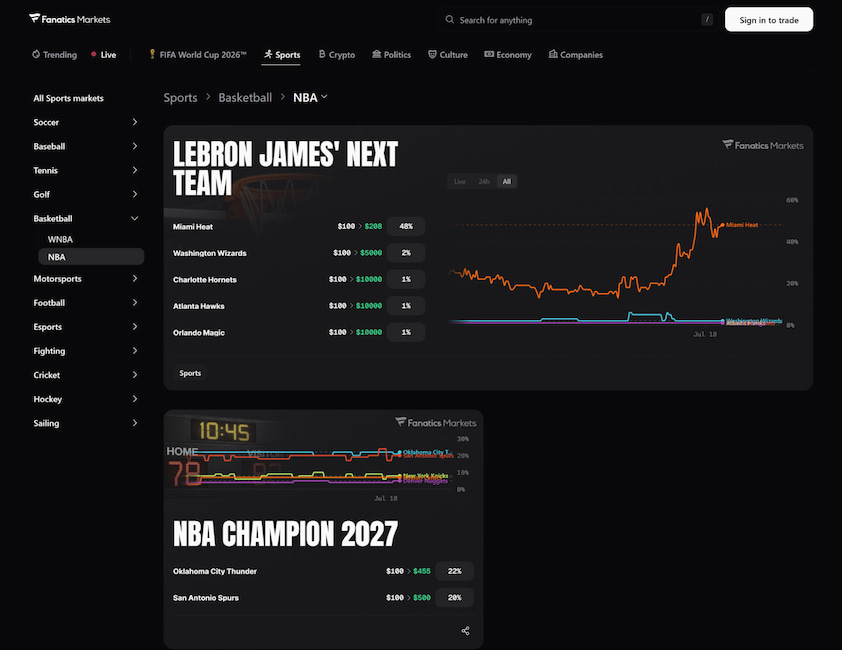
Featured markets appear as wide cards, with the outcomes listed on the left and a price chart on the right. Each outcome tells you what a $100 position returns if it hits. Markets eligible for combination orders get a COMBO badge in the corner.
Open a market and a breadcrumb trail across the top tracks where you are, running from the sport down through the league to the specific event. The market page leads with both sides, the current price for each, and a chart you can filter by live action, the past 24 hours, or the full history.
Contracts appear beneath the chart in labeled blocks, with the market type spelled out and any conditions included in the title. Every row has an expand arrow that opens the order book for that contract.
Everything you need to know about how a contract settles is documented at the bottom of the page. Rules explain what each contract pays, when the market resolves, and how open positions settle if an event gets canceled. Trading Prohibitions cover restricted activity.
Mobile App
The app scores 4.6 on the App Store against 3.7 on Google Play. It was built on technology already used across Fanatics’ mobile products.
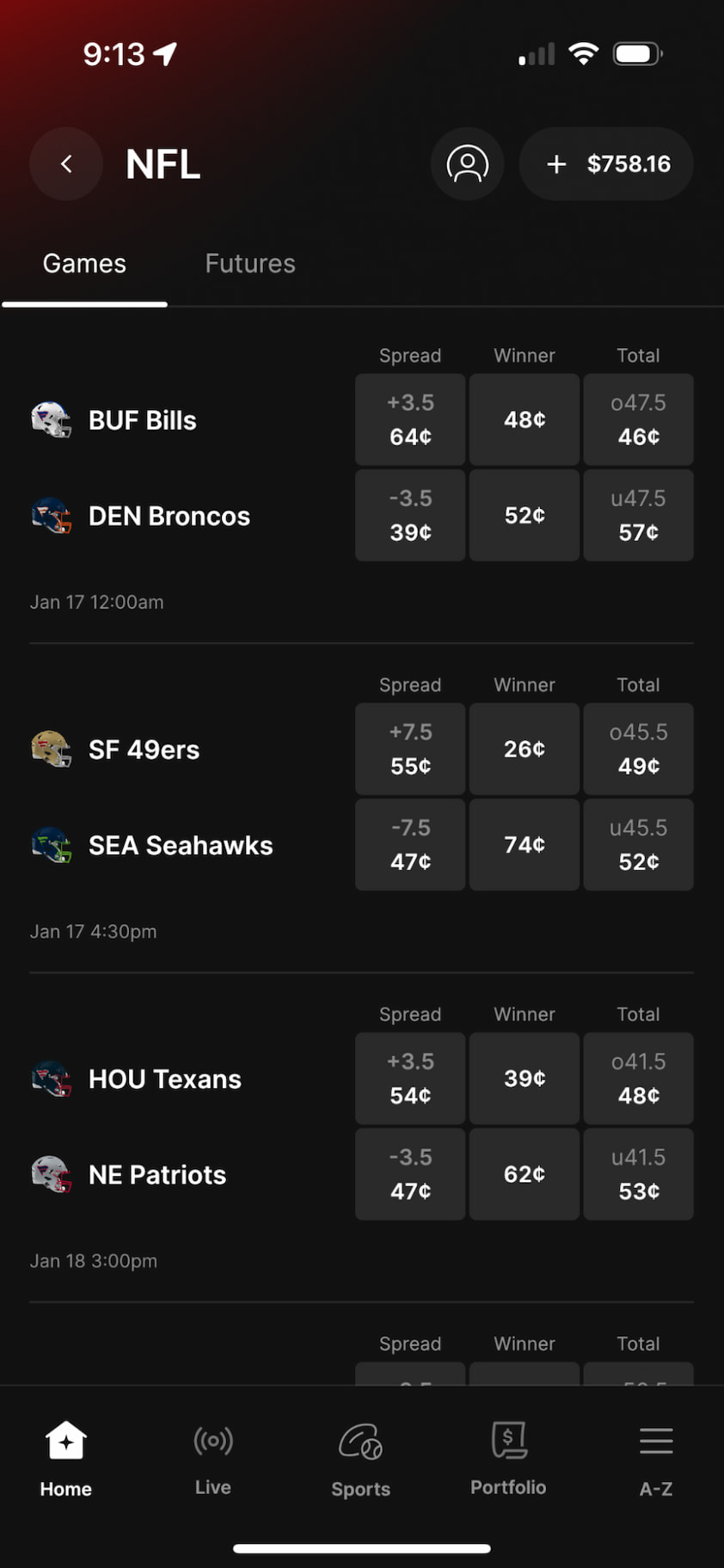
Navigation works on two layers. A horizontal strip across the top moves you between the main categories, while a sticky bottom bar gives you Home, Live, Portfolio, and A-Z. That last tab opens the full market directory as an alphabetical accordion, expanding each category right where you tap it.
Open a matchup, and the price chart loads first, plotting both sides against each other with the current price labeled at the right edge. Multi-outcome markets work the same way, charting the top contenders together on a single canvas, with the rest of the field listed underneath.
Below the chart, contracts split into Popular and Player Props tabs. Popular gives you the main markets in a three-column grid. Player Props opens as collapsible sections by stat type, so each category expands to show individual players and their over/under contracts. Anything unavailable shows a padlock in place of a price.
Keep scrolling, and you reach a stats module comparing both teams across the main statistical categories, each shown as a paired bar, with an injuries section right after.
The Order Book
Every contract on Fanatics Markets comes with a full order book.
When you expand a contract on desktop, you get 3 tabs: Trade Yes, Trade No, and Graph, with the book broken into Price, Shares, and Total columns. Sellers stack in red at the top, buyers in green below, and a labeled divider between them shows how wide the spread is. Bars behind each row scale with the size available.
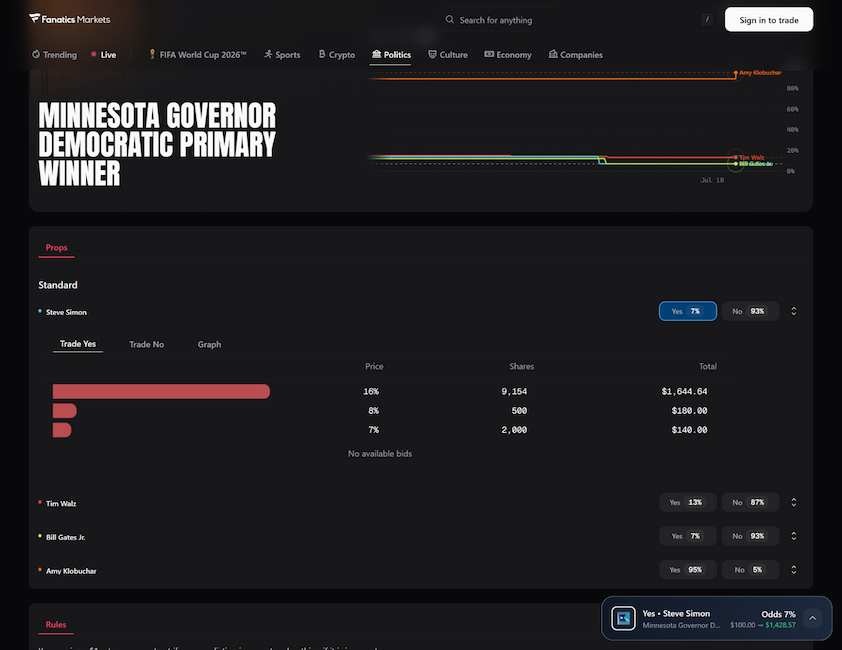
On markets with alternate lines, a selector above the book lets you flip between them and watch the depth change.
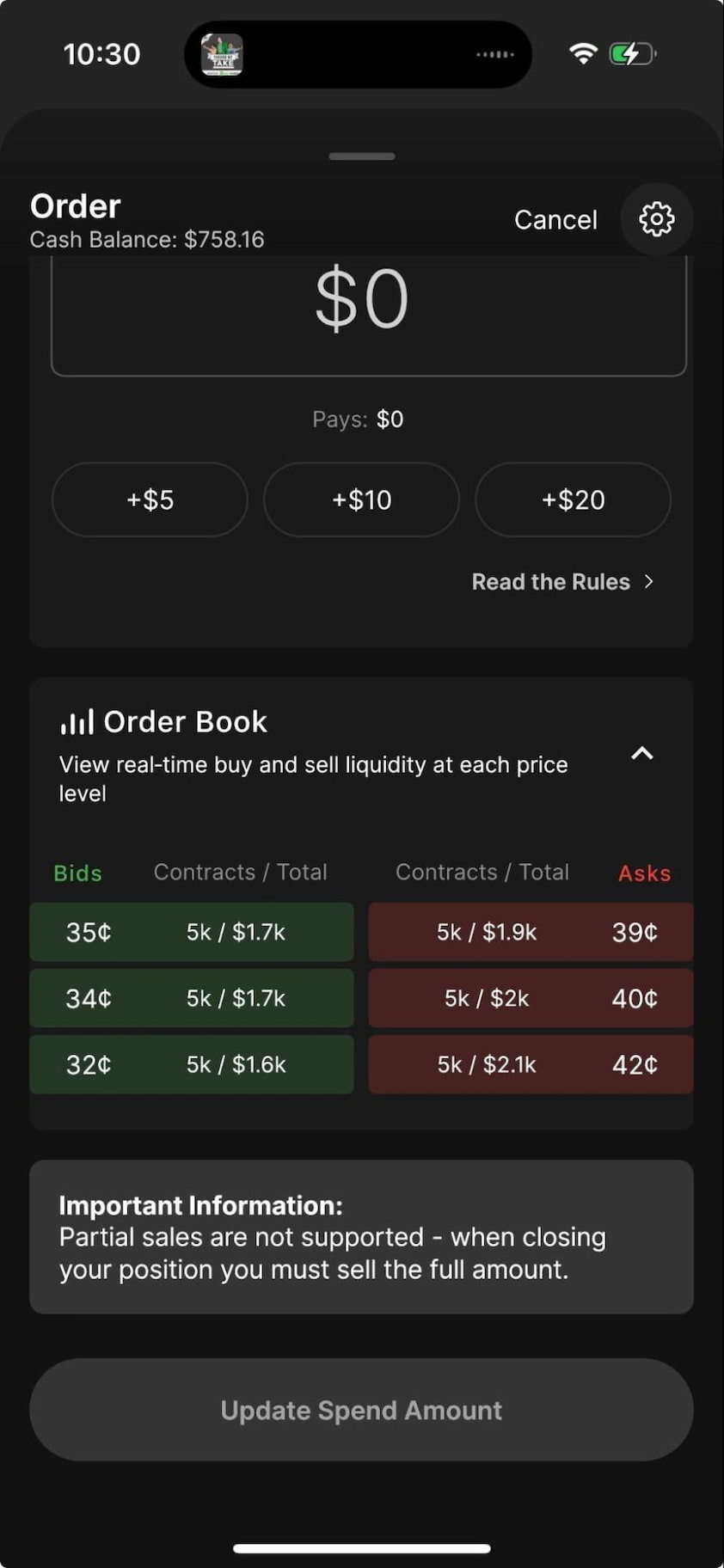
The mobile version shows the same information in a tighter layout, opening from the bottom of the order sheet with bids in green, asks in red, and the size at each level.
The Trade Slip
Desktop opens a panel on the right and works in contract quantity. Your selection shows up at the top with the price, followed by two dropdowns, one for Buy or Sell, the other for Yes or No, so you can flip the whole position without leaving the slip. Quantity buttons add +1, +10, +100, or Max, and a summary panel gives you the price next to your potential payout.
Mobile asks for a dollar amount instead, with +$5, +$10, and +$20 buttons and a Pays line showing what you get back if the contract settles at $1. Price Tolerance, added in February 2026, pushes your order through if the price moves at the last second, and a Read the Rules link takes you to the resolution criteria.
Fanatics Markets doesn't offer limit orders on either platform, so every trade goes through at the price showing on your screen. If you're looking to optimize your trade entries around market spreads without limit orders, our breakdown of basic trading strategies for prediction markets covers how to time market shifts and manage exposure effectively.


/fit-in/64x64/1742215299/stefan-nedeljkovi%C4%87.png "Stefan Nedeljković")
/fit-in/64x64/1702479154/ioana-romanasu.jpg "Ioana Romanasu")


/fit-in/88x58/1769007361/ach-ach-payment-icon-logo.png)




/fit-in/80x80/1742215299/stefan-nedeljkovi%C4%87.png)
/fit-in/400x235/1742825821/wsn-review-kalshi.webp)
/fit-in/400x235/1771495622/crypto.com-prediction-market-review.jpg)
/fit-in/400x235/1750757169/robinhood.jpg)
/1785940185/fanatics-fanatics-sportsbook-expressive-logo-lockup-white-logo.png "Fanatics")
/fit-in/160x160/1742215299/stefan-nedeljkovi%C4%87.png "Stefan Nedeljković")






/1773392173/dmca-image.png "DMCA")
/1670944202/21.png "21")
/1670944628/2022-igb-best-casino-affiliate-gig-media-e1651053747946.png "2022 igb best casino affiliate gig media e1651053747946")
/1670944701/gig-media-power-affiliates-rank-123x40-1.png "Gig media power affiliates rank 123x40 1")
/1670944773/800-gambler-black-144x40.jpg "800 gambler black 144x40")


Fanatics Player Reviews
Tried Fanatics? Let fellow players know what you think by writing a review.
No reviews yet for Fanatics.